Where to find it
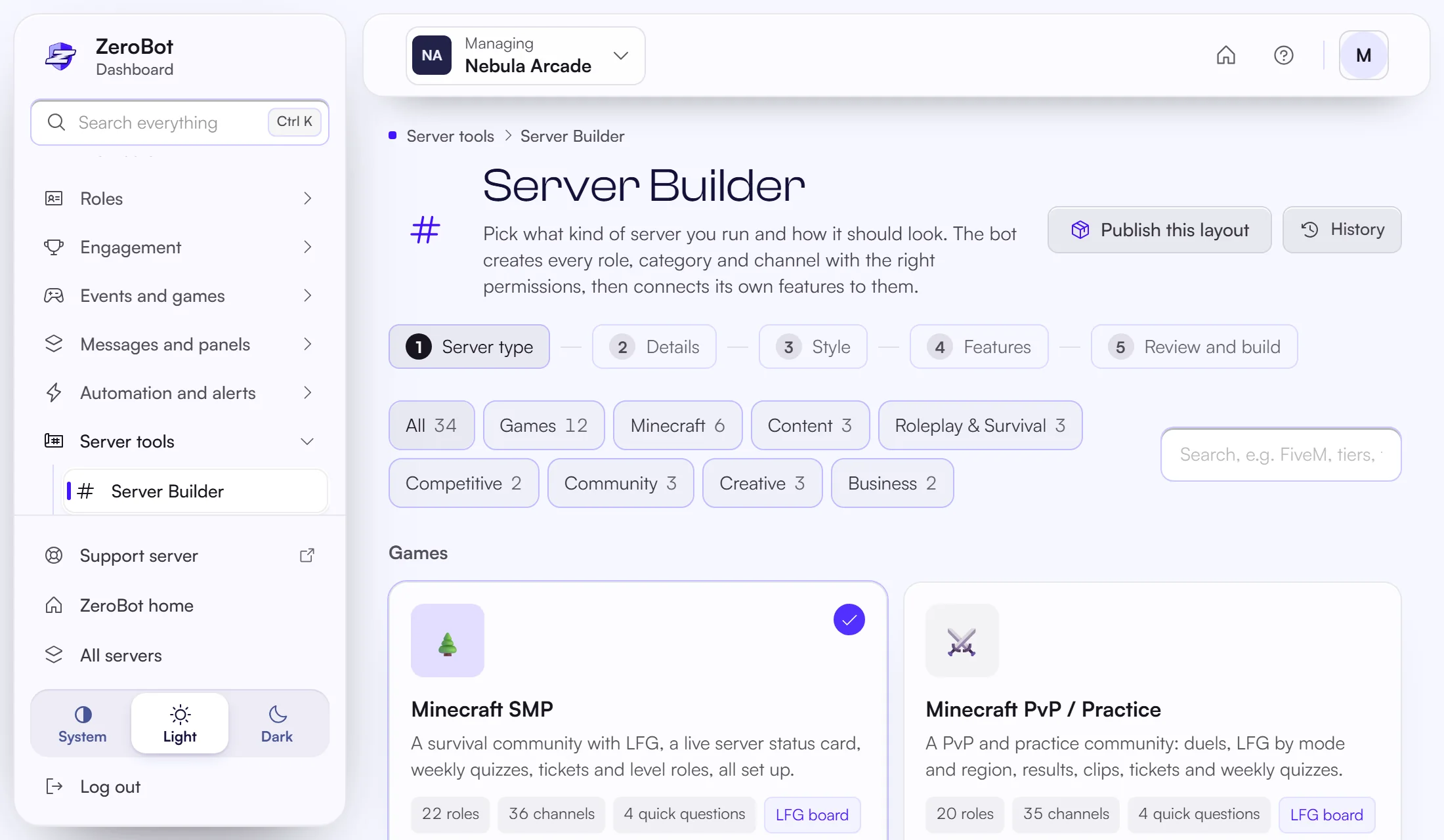
- Server Builder in the sidebar, under Server tools
- Five steps, from server type to Review and build
Common tasks
Build a server from scratch
- Open Server tools, then Server Builder.
- Pick a server type, the details, a style and the features.
- Check the preview, then press Build.
Describe a server to the AI
- Open ZeroBot AI and describe the server you want.
- Change it in the chat until it fits, then press Build.
Back up and restore
- Open Backups. A snapshot is made every day.
- After damage, preview what a restore puts back, then restore.
Switch from another bot
- Open Import from other bots.
- Pick the bot, for example MEE6, Carl-bot or Dyno, and import its setup.
Common problems
- Will building delete my channels?
- No. Building only adds. A channel or role with the same name is reused.
- Backups or Undo changes is locked.
- Those pages are Premium. A crown next to a page in the sidebar marks it.
Every page in this topic
- ZeroBot AIOpen
Design a server or run your live one, in plain words
More detail
One chat for your server, in any of the dashboard's eight languages. Describe the server you want, like "a competitive Minecraft PvP server with tier testing, a staff team, a shop and giveaways", and it designs every category, channel, role and permission, and picks the ZeroBot features to set up: tickets, verification, logs, welcome messages, leveling, self roles and more. The bot checks every part and shows it as it will look in Discord. Keep changing it in the chat ("make the staff area private", "no emojis on the categories"), go back a version if you prefer the last one, then press Build. Build only adds: nothing that exists is deleted or renamed, a channel or role with the same name is reused, and for 24 hours you can remove or restyle what it made. 10 designs and 5 builds a day free, 60 designs and 25 builds with Premium; a build that stops before making anything does not count. In the same chat you can ask for something on your live server, like "start a giveaway for Nitro in #events, 3 days", "lock #general for 30 minutes" or "who invited the most people this month?". That becomes a plan made only of things the bot already does safely, with every step shown, and nothing happens until you press Do it. It never deletes, bans, kicks, times out, DMs or pings. Actions on the live server and answers from your records are Premium (20 plans an hour, 100 a day); on the free plan you see the plan greyed out. When a message could mean the design or the live server, it asks you which.
- SetupOpen
Configure everything in one pass
More detail
Walks you through the basics in one pass: log channels, welcome channel, staff roles. Start here if your server already has its channels.
- Server AutopilotOpen
Set up roles and channels from one sentence, with undo
- Server BuilderOpen
A whole server, roles to channels, in one click
More detail
Builds a whole server for you: roles, categories, channels and who can see what. Pick a type (Minecraft SMP, FFA, Duels, FiveM roleplay, Rust, Roblox, esports, hangout, trading and more), pick a style with a dot or a line between emoji and name, and press Build. It can also switch on verification and connect logs, welcome and tickets.
- MarketplaceOpen
Install setups other servers shared, or share yours
More detail
Setups other servers shared and ZeroBot's own official templates: ticket panels, Message builder, welcome messages, role menus, verification, applications, protection presets, leveling, mini games, Auto replies, AI ticket replies and whole server layouts, alone or as bundles. Installing asks you to map each channel and role to one of yours, or lets ZeroBot create it, shows a preview, and only adds: a same-named item is replaced or added as a copy only if you say so, and an install can be undone for 24 hours. Publish your own from the Marketplace or from a feature's page; ZeroBot takes out every id, invite, token and name first and screens the words and pictures. 5 published setups free, 50 with Premium. Anyone can browse at /explore without signing in.
- BackupsOpen
Daily snapshots and one-click restore
More detail
Premium. A snapshot of every role, channel and permission each day. After a nuke, preview what a restore puts back, then restore it in one click. Nothing that exists is deleted.
- Undo changesOpen
Every change for 30 days, with undo
More detail
Premium. A journal of every channel, role, permission, ban and member role change for 30 days, with who made it. Undo makes a deleted channel or role again with its settings and permissions, reverts an edit, or lifts a ban. Undo never deletes or bans, and messages cannot be brought back.
- Quick setupsOpen
One-click setups for every module
More detail
Ready-made setups for AutoMod, Nuke protection, Verification, welcome messages, tickets and more. Press Review to see exactly what changes, then Apply.
- Import from other botsOpen
Switch from MEE6, Carl-bot or Dyno in about a minute
- Server makeoverOpen
Remake an existing server's names, roles and permissions