Where to find it
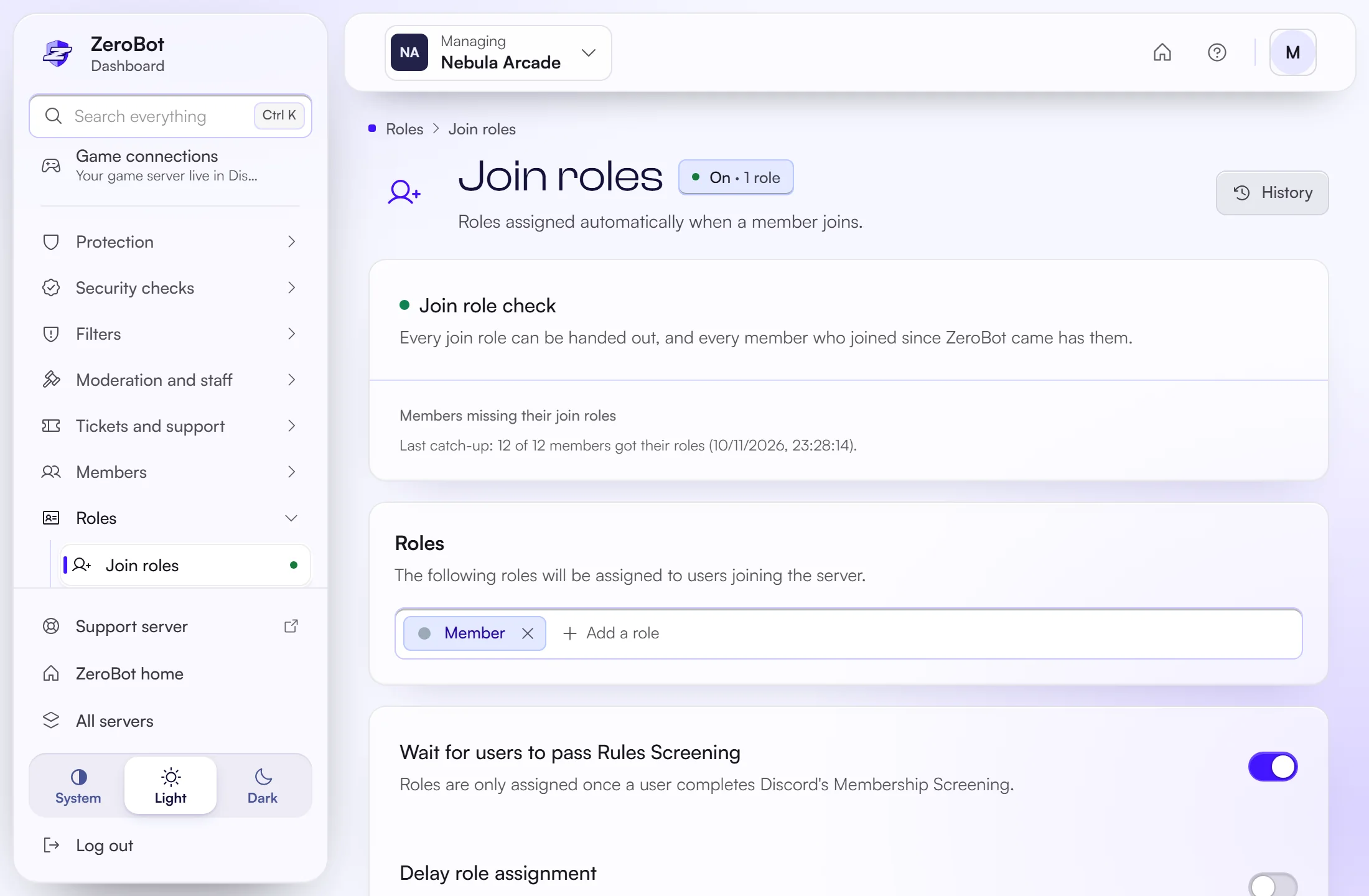
- Join roles in the sidebar, under Roles
- Add the roles every new member gets
Common tasks
Welcome new members
- Open Members, then Welcome messages.
- Switch on Join messages, pick a channel and write the message.
- Save changes.
Give every new member a role
- Open Roles, then Join roles, and add a role.
- If you like, wait until members pass Rules Screening, or add a delay.
Reward people who invite
- Open Invites and add a reward role for a number of invites.
- ZeroBot needs the Manage Server permission to see invites.
Common problems
- ZeroBot can't give a role.
- Discord never lets a bot hand out a role above its own. Drag ZeroBot's role above it in Server Settings, Roles.
- The welcome message never posts.
- Join messages needs a channel. Until one is picked, the preview says nothing is posted.
Every page in this topic
- Welcome messagesOpen
Join, leave and boost
More detail
Join, leave, boost and role messages, with placeholders like {user}, {server} and {membercount}.
- ApplicationsOpen
Staff application flow
More detail
A staff application panel with questions, and accept or deny buttons for your team.
- FormsOpen
Sign-ups, reports, surveys and tryouts with a button, reviewed by staff
- InvitesOpen
Who invited whom, with reward roles
More detail
Shows which invite every new member used and who brings the most people in. Give reward roles at a number of invites; only invited members who are still here count. The bot needs the Manage Server permission to see invites.
- BirthdaysOpen
A post and a role on members' birthdays
More detail
Members add their birthday with /birthday set (day and month, never the year). On the day, the bot posts your message in a channel and can give a role for 24 hours.
- PartnershipsOpen
Partner requests by ticket, decided by staff, and a checked partner list
- AFK moverOpen
Moves away members to the AFK channel
- Join rolesOpen
Roles for new members
More detail
Roles every new member gets, optionally after they pass Discord's rules screening or after a delay.
- Reaction rolesOpen
Self-assignable roles
More detail
Messages where members pick their own roles by reacting.
- Voice rolesOpen
A role while in voice, on camera or streaming
- Temporary rolesOpen
Roles that end by themselves, and roles that come back on rejoin
- Bulk role changesOpen
Give or take a role for everyone matching a filter